Choose settings your plan supports
Free includes one active hosted portal. Team adds custom intake, automatic routing and up to three portals; Business includes up to ten portals. Paid upgrades are currently unavailable. Custom domains and removal of Privacy Requests branding require Business.
- Start with the standard Free form and manual ownership.
- Do not make a requester resubmit solely to fit your preferred intake channel; preserve their original message and receipt time.
- Review current plan availability before relying on paid configuration.
Design each portal for an audience
Portals can represent brands, products, regions, or requester audiences. Keep each form focused on the information needed to identify the relationship and start the correct workflow.
- Choose request types that the team is prepared to handle.
- Ask for only the fields needed for triage, matching, and follow-up.
- Use confirmation copy that tells requesters what to expect next.
Review assignment rules
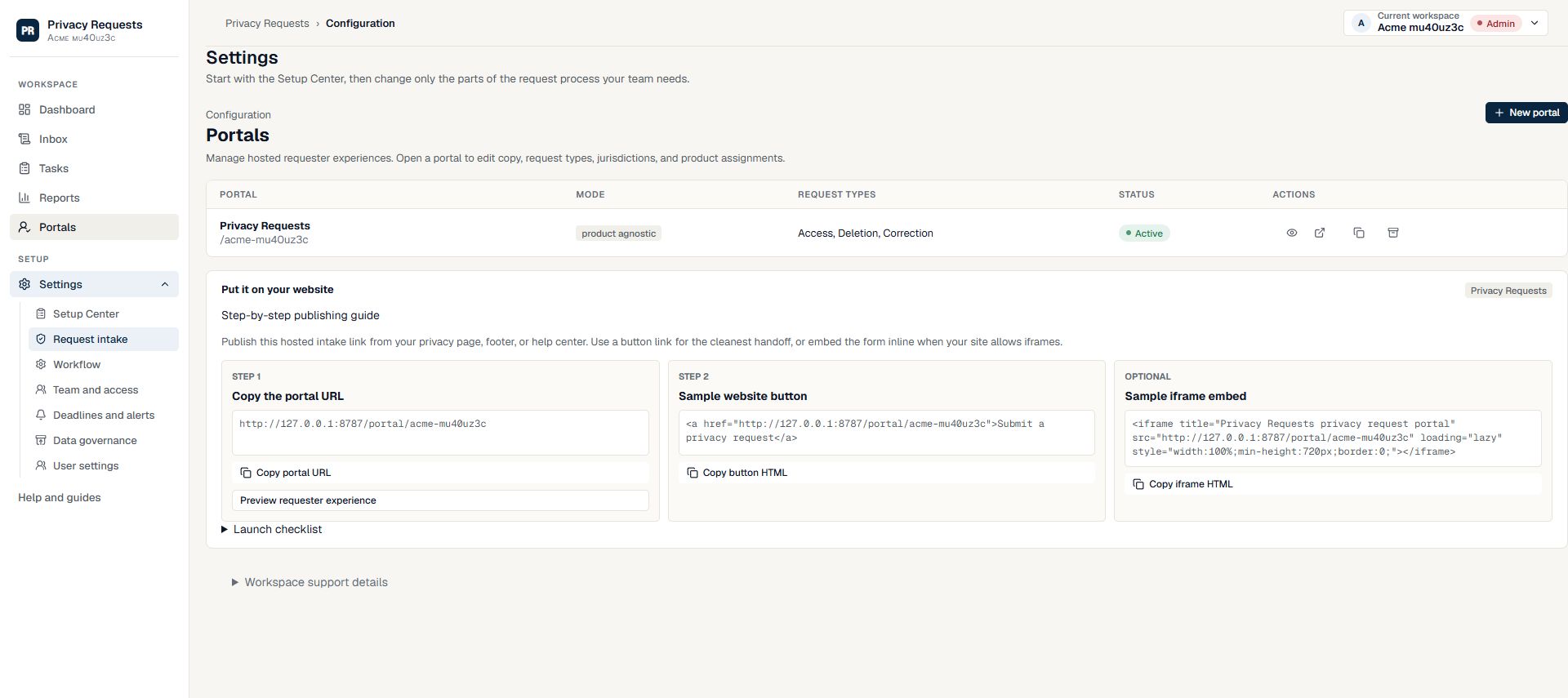
Portal configuration and assignment rules should agree. If a portal is added, retired, or repurposed, review default owners and task creation before receiving live requests.
- Set default ownership or assignment rules for each portal.
- Test sample submissions from each published portal.
- Keep archived or inactive portals out of public navigation.
Check the form from the requester’s perspective
Open the public link without relying on your staff view. Someone who has never used your product should understand who receives the request, which email to use, and what happens after submission.
- Keep optional details optional unless your team needs them to begin review.
- Use an example to explain an unfamiliar field instead of an internal abbreviation.
- Submit a controlled test for each important audience or request type and check the owner and tasks in Inbox.
- When changing a portal address, review the links on your website and help center so visitors reach the intended form.
Need more help?
Product support is available at support@privacyrequests.co. Requesters should contact the company handling the request first because that company controls the case record and response decisions.