Use case
Make privacy request handling consistent enough to review
Standardize the work around each request: who owns it, how identity was checked, what was collected, and how the response was approved and delivered.
A familiar situation
Define a repeatable process without hiding the exceptions
A manager asks how the last access request was handled. The answer should not depend on who still has the email thread. Compliance teams need a connected record of the process, including exceptions and the decisions behind them.
Privacy Requests gives your team a shared case record and visible workflow stages. Use consistent task instructions and response preparation steps, then document when a case needs different treatment. Consistency means people know what to review, not that every request receives the same answer.
See the actual product screens →From intake to outcome
A practical way to run the request
Standardize intake and ownership
Use the hosted portal to collect request details. Review the submission, assign a responsible owner, and check the suggested jurisdiction and target date against your process.
Record verification and scope
Document the identity checks and any follow-up needed. Keep the request scope understandable to the people collecting records, including the products or systems involved.
Coordinate collection and review
Assign tasks to system owners and review their evidence. Build the response packet from selected materials and approve it in self-review mode or obtain approval from the configured Legal Reviewer before delivery.
Check the completed record
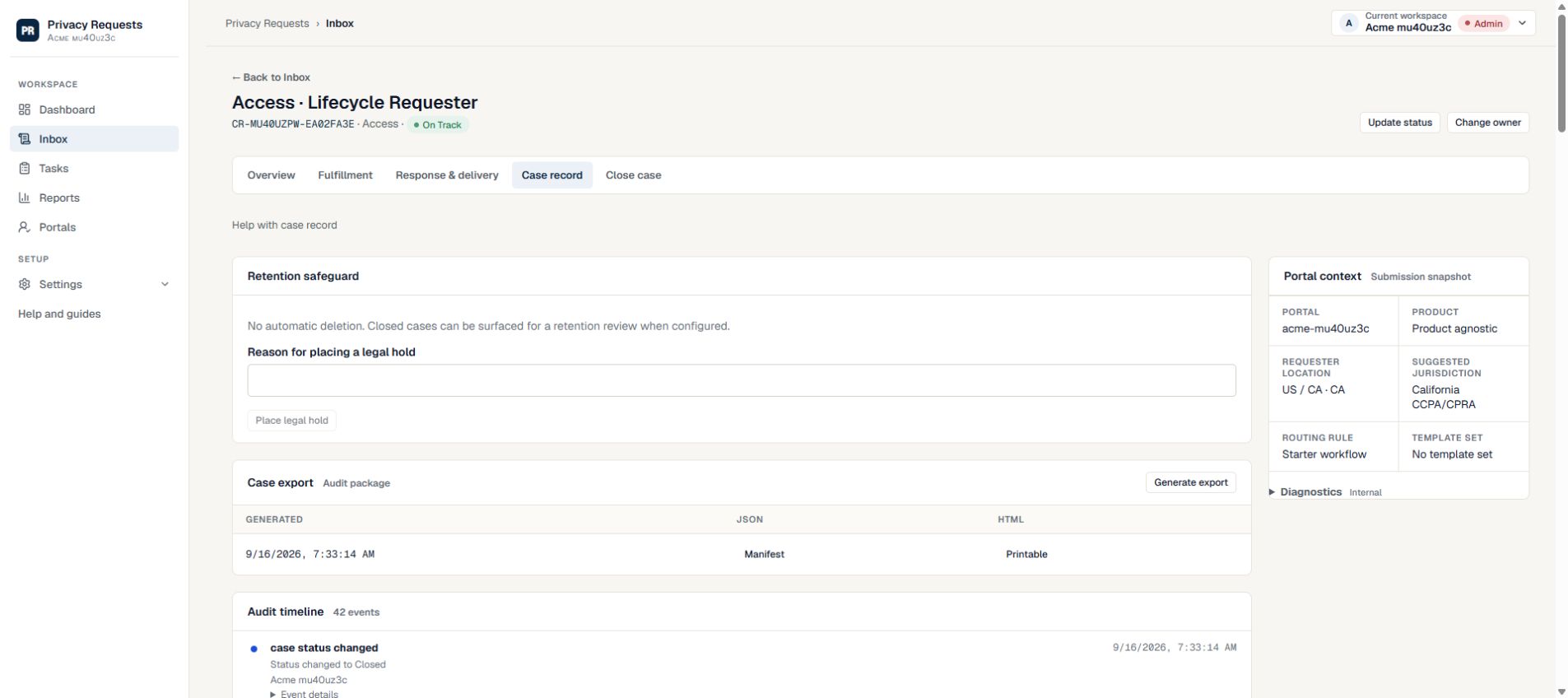
Review delivery activity, record the final outcome, and generate a current case export. Use the history to understand delays, reassignments, or changes in handling.
Make each responsibility clear
Agree who owns each part before the request is urgent. These are suggested working responsibilities; workspace roles determine access.
| Person | Responsibility | Useful result |
|---|---|---|
| Case owner | Request handling and follow-up | Current status, target date, and assigned work |
| System owners | Evidence collection and task completion | Notes and files connected to the request |
| Designated reviewer (if configured) | Proposed response review | Approval attached to the response packet |
An answer to “what happened?” that starts with evidence
A useful review follows the request through its changes: who received it, who owned the tasks, which materials were approved, and how delivery was handled. Keep meaningful notes when changing course. That record helps your team identify process gaps and prepare for internal review without treating a closed status as proof that every decision was correct.
Before your first request
Set up the people and the process
Rehearse the whole workflow with controlled addresses and fictional data. A working intake form is only the first step.
Learn how to review case activity →- Agree who reviews suggested deadlines and records any changes.
- List the systems and owners needed for common request types.
- Create task instructions that state what a complete result includes.
- Rehearse the export and closure steps as well as intake.
What your team still owns
Suggested deadlines support operations; they are not legal determinations. The activity history and exports help explain work performed, but do not certify compliance or prove that an external system was searched completely. Your organization remains responsible for the scope, evidence quality, and legal decisions.
Read the security safeguards and current plan availability before deciding whether the workflow fits your organization.
Try a real workflow
Give your next request a clear path
Start with a workspace, a responsible owner, and a reviewer.
Compare workflows for other teams →Trace the control to the evidence
For fictional DEMO-1042, a completed primary search does not prove complete collection. Compare the limitation, follow-up owner and revised packet reference before treating the approval control as complete. Use the approval checklist.
Choose self-review, a single reviewer or a plan-dependent approval chain.