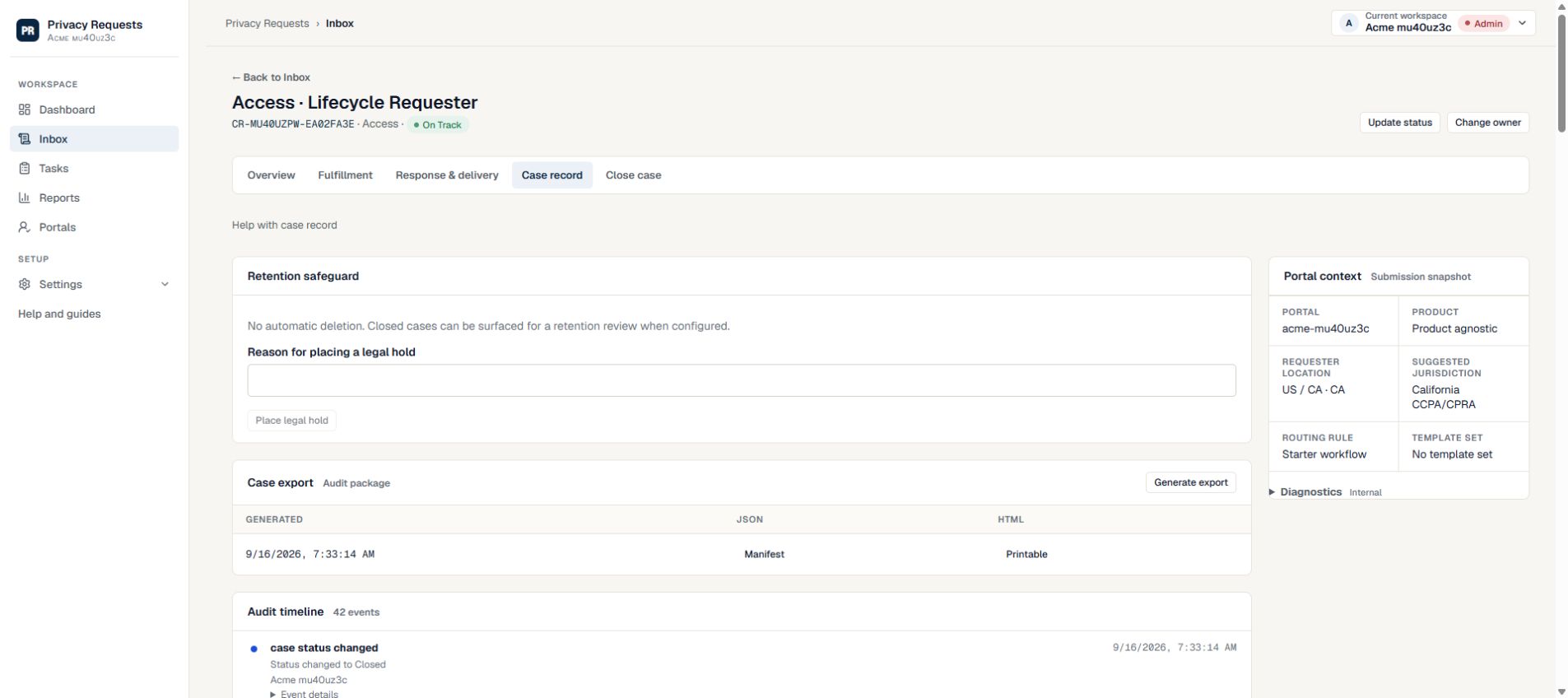
Follow a decision through the case record
Open the case and choose Case record. Compare the person, time and surrounding history with the current response packet and delivery state.
- Fictional handoff: collection finished, but archive search remains open; reviewer requests changes to packet 02.
- A later approval must refer to the revised packet, not merely the earlier task-completed event.
- Use fictional worked case to compare a fictional decision record with the tracker.
Review activity in context
The audit trail records important actions with who did them, when they happened, and which case they affected. It should help reviewers understand the case story without relying on memory.
- Review events before response approval and closure.
- Use activity history to investigate missed handoffs or unusual access.
- Keep notes factual and tied to workflow decisions.
Use exports carefully
Audit exports can support internal review, compliance operations, and customer operations. They may also contain sensitive operational details, so share them only with appropriate people.
- Export only when there is a clear operational reason.
- Store exported records according to internal retention rules.
- Use the audit trail to improve future workflow templates and assignments.
Use the record to answer a specific question
Start with the decision you need to understand: who approved the response, when ownership changed, or whether a delivery was accessed. Then review the surrounding events and notes so a single entry is not taken out of context.
- A queued email records a sending step; it does not prove that the recipient read it.
- An approved response records an approval decision; it does not by itself show that delivery occurred.
- Compare the export’s creation time with later case activity when deciding whether to generate a fresh record.
- Keep the case export for authorized internal review; it is different from the response packet prepared for the requester.
Need more help?
Product support is available at support@privacyrequests.co. Requesters should contact the company handling the request first because that company controls the case record and response decisions.