Use case
A privacy request process your small team can actually run
Move beyond forwarded emails and a spreadsheet. Give the person responsible for privacy a clear path from the first request to an approved response.
A familiar situation
Start with responsibility, not a bigger spreadsheet
A customer asks for a copy of their data. Your operations lead can find the support history, but engineering owns the account database and a second person needs to review the response. The hard part is keeping those handoffs together while ordinary work continues.
A lightweight process still needs an owner, a reviewer, and a record of what each person did. Privacy Requests brings intake, collection tasks, response preparation, and delivery into one case. You can see what is waiting on someone without rebuilding the story from email.
See the actual product screens →From intake to outcome
A practical way to run the request
Give customers one starting point
Publish your hosted portal link in your privacy information and support replies. Use a fictional request to check the form before inviting customers to use it.
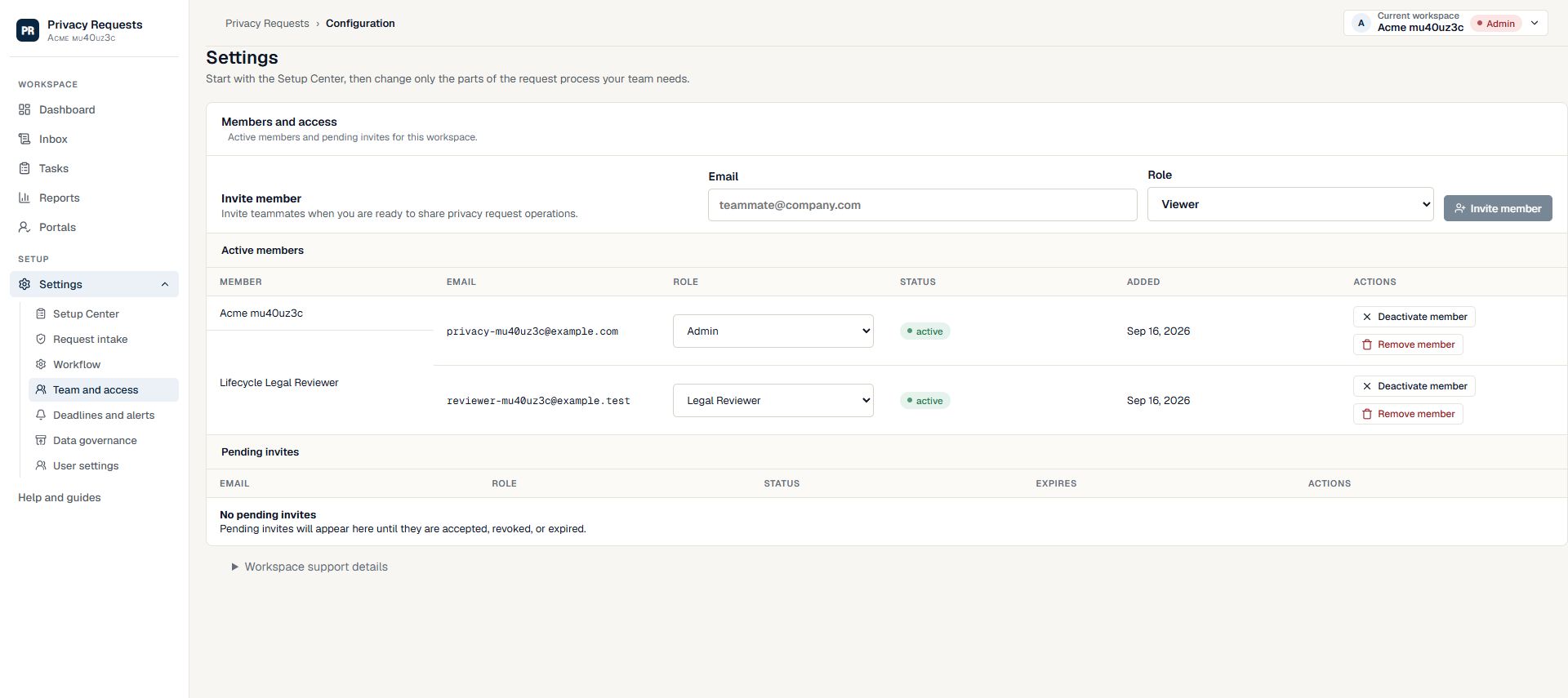
Name an owner and arrange review
An Admin or Privacy Manager can coordinate the case and approve their own response in self-review mode. If you want a separate approval step, invite a Legal Reviewer and add them in response approval settings.
Ask for specific work
List the systems that may hold relevant data and assign tasks to their owners. Explain what to search, what evidence to return, and what requires a separate decision.
Review, deliver, and keep the record
Select only the files intended for the requester, obtain packet approval, and create an expiring delivery link. Complete the closure checks and export the case record.
Make each responsibility clear
Agree who owns each part before the request is urgent. These are suggested working responsibilities; workspace roles determine access.
| Person | Responsibility | Useful result |
|---|---|---|
| Operations lead | Request scope, follow-up, task assignments, and delivery | A case with a visible owner and next steps |
| Engineering or data owner | Search the systems they manage and record findings | Task evidence that the response owner can review |
| Designated reviewer (if configured) | Review the proposed response and selected attachments | Recorded packet approval before delivery |
A process that survives the next handoff
The useful result is more than a sent email: a request with an owner, documented verification, collection evidence, an approved response, and delivery history. When someone is away, another authorized teammate can pick up the record. As your team grows, task templates and clearer system ownership help you repeat the same process.
Before your first request
Set up the people and the process
Rehearse the whole workflow with controlled addresses and fictional data. A working intake form is only the first step.
Rehearse your first access request →- Choose a workspace administrator and a person who will review responses.
- Add your main product, relevant systems, and the people responsible for them.
- Publish one portal and use a controlled email address for a rehearsal.
- Walk through approval and delivery before your first real deadline.
What your team still owns
This is a workflow tool, not an automatic search across your customer databases. Your team still retrieves records, decides what may be disclosed, and performs any approved deletion in the relevant systems. A solo Admin or Privacy Manager can use self-review. If your workspace has designated reviewers, their approval remains required before delivery.
Read the security safeguards and current plan availability before deciding whether the workflow fits your organization.
Try a real workflow
Give your next request a clear path
Start with a workspace, a responsible owner, and a review arrangement that fits your team.
Compare workflows for other teams →Keep the next action visible
In the fictional tracker, Jordan owns DEMO-1042 while Avery must review the archive-search limitation. The next action has its own owner and review date, so the founder does not have to reconstruct an email thread. Use the filled tracker.
Choose self-review, a single reviewer or a plan-dependent approval chain.