Product tour
See a DSAR move from intake to a documented response
See how your team receives, reviews and responds to a privacy request. Actual product screens below use fictional data; select any image to see the full screen.
Step 01 · Receive
Give every request a starting point
Share your hosted portal. People choose a request type and describe what they need, so your team can start with the details in one place.
Each submission becomes a case for your team to review.
How to publish your portal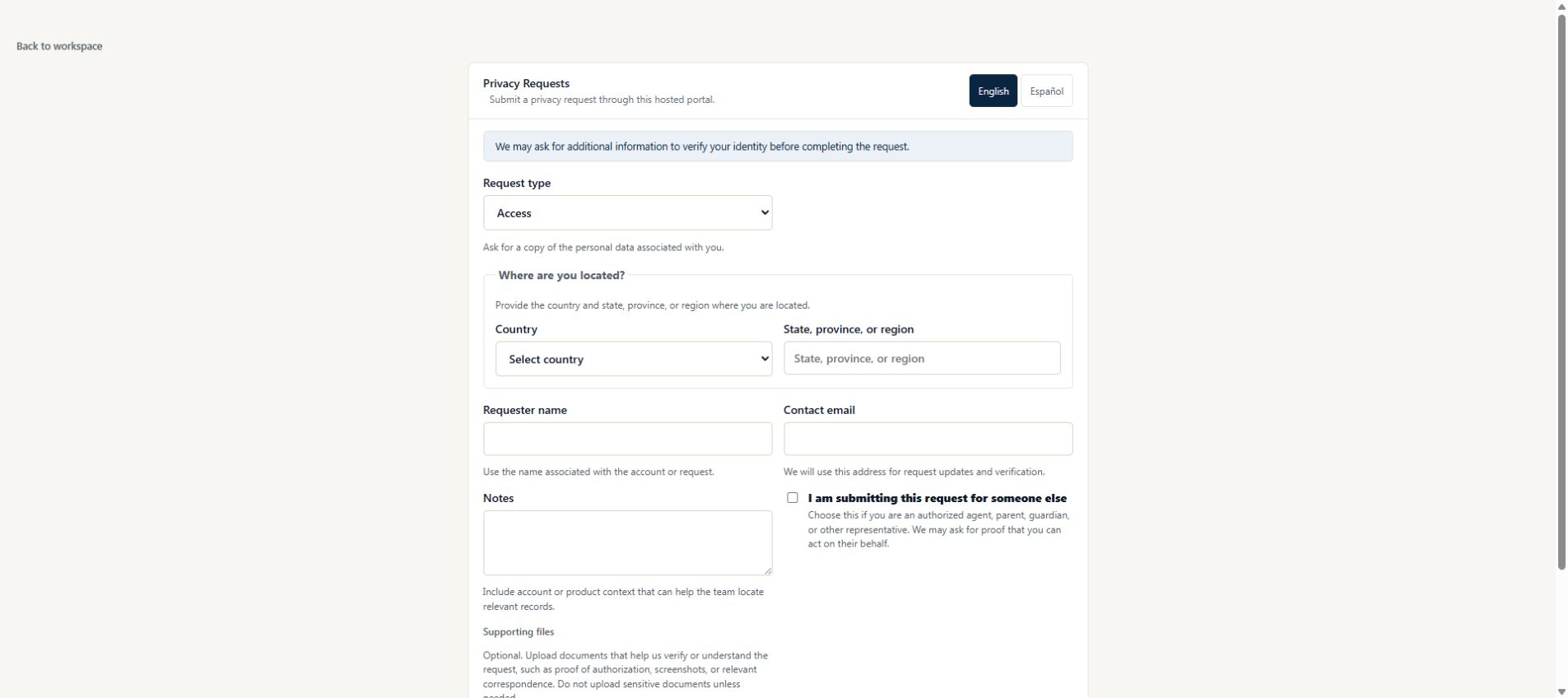
Step 02 · Assign
Make ownership and the next step clear
Assign an owner and review the suggested deadline. The case overview keeps the next action and remaining work visible.
Your team reviews deadlines and records the reasons for any exceptions.
How to handle your first request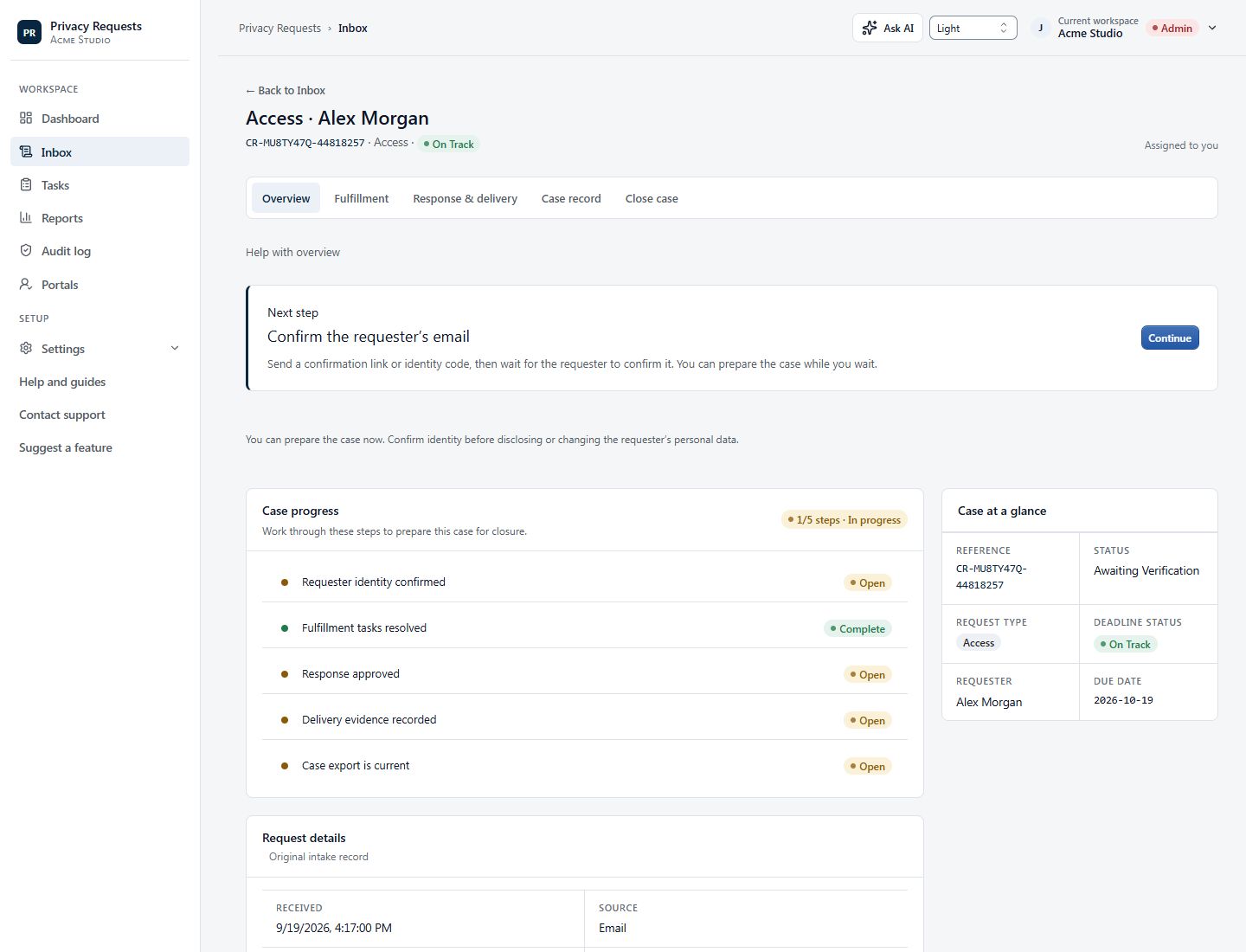
Step 03 · Verify
Check identity before sharing data
Confirm contact, review identity and scope, and record your decision. Then coordinate collection with the people responsible for the relevant systems.
Your team finds and reviews the data. Privacy Requests does not automatically discover or delete it across your systems.
How identity review works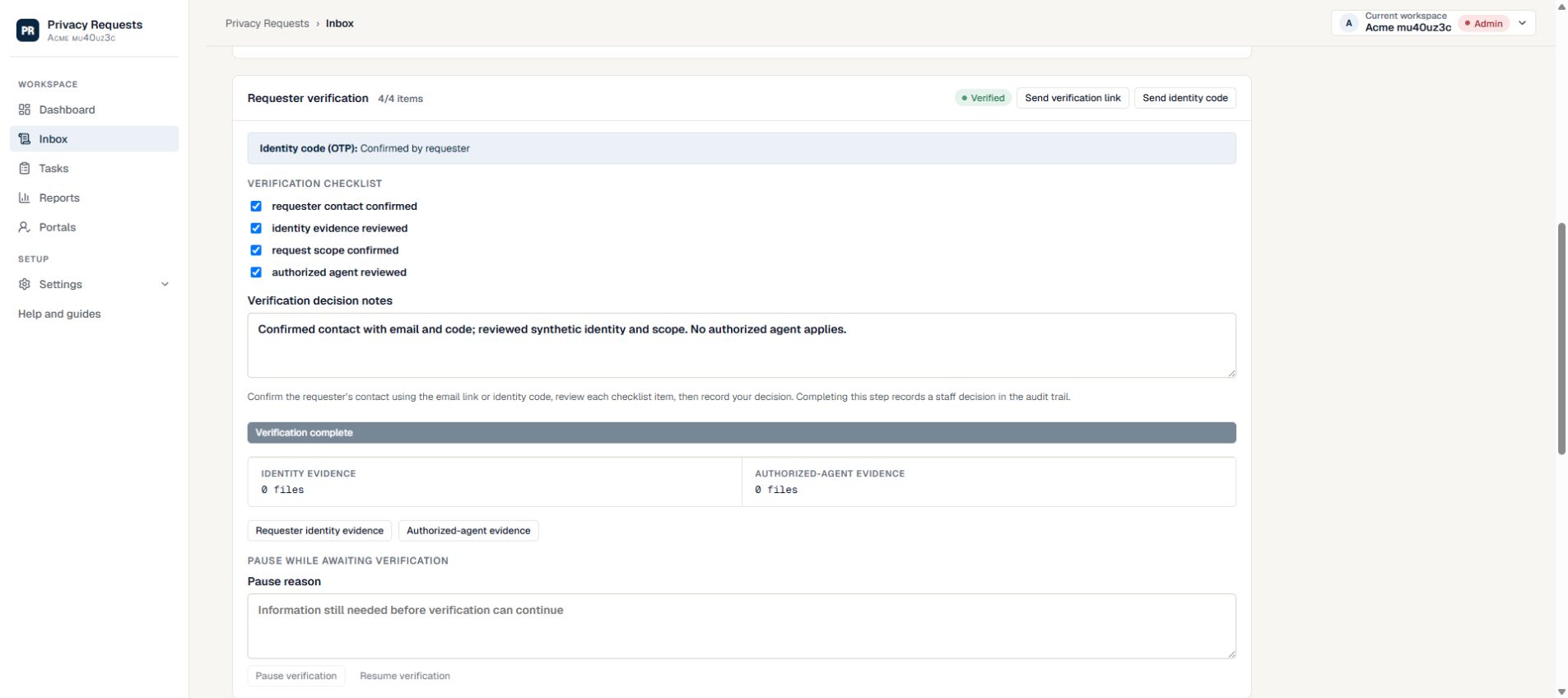
Step 04 · Respond
Review the response, then deliver it securely
Prepare the message and select the files intended for the requester. Approve the response yourself or obtain approval from your designated reviewers.
When it is ready, use secure delivery with expiry, optional passcodes and revocation controls.
How to approve and deliver a response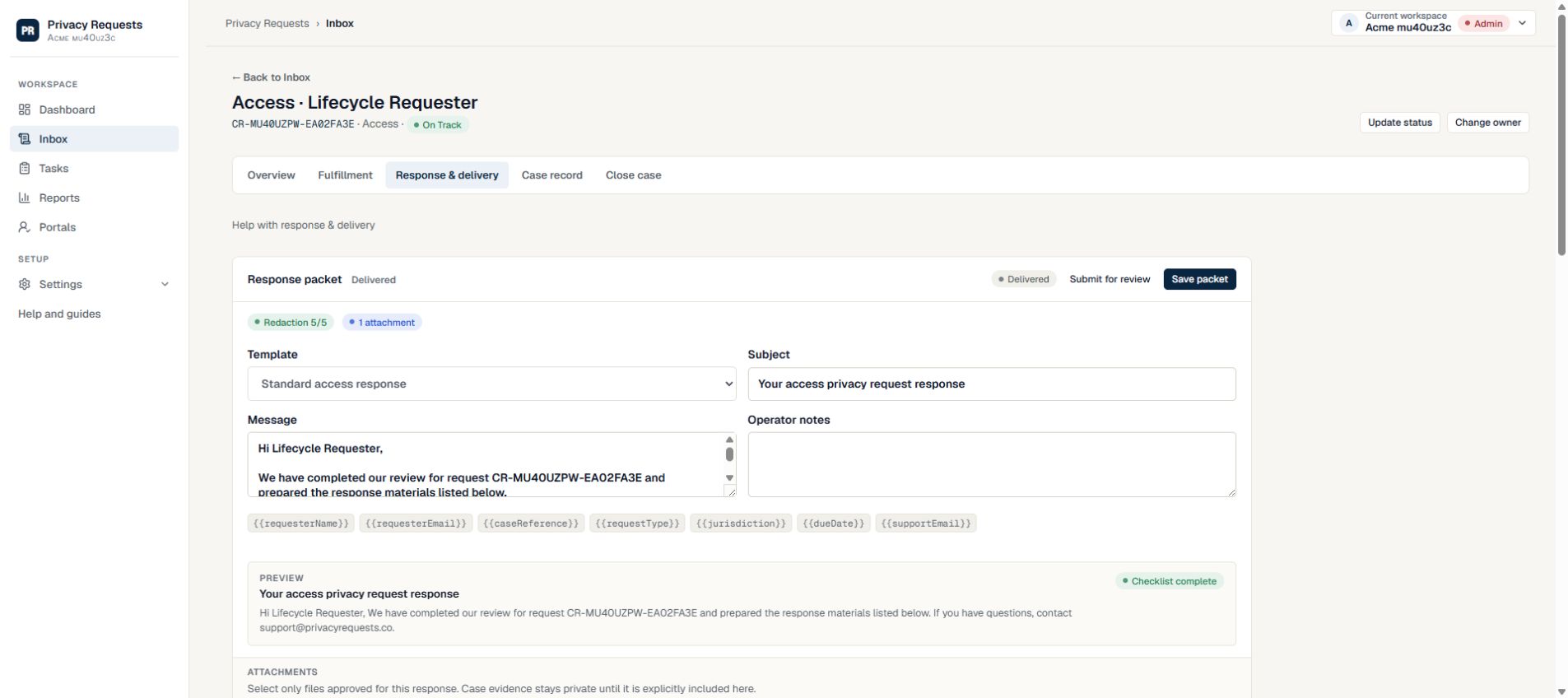
Step 05 · Keep a record
Finish with a record you can return to
Review delivery activity, document the outcome and generate a case export. Keep the decisions and actions together for later review.
The record supports your process. Your organization remains responsible for legal and disclosure decisions.
How to close and export a case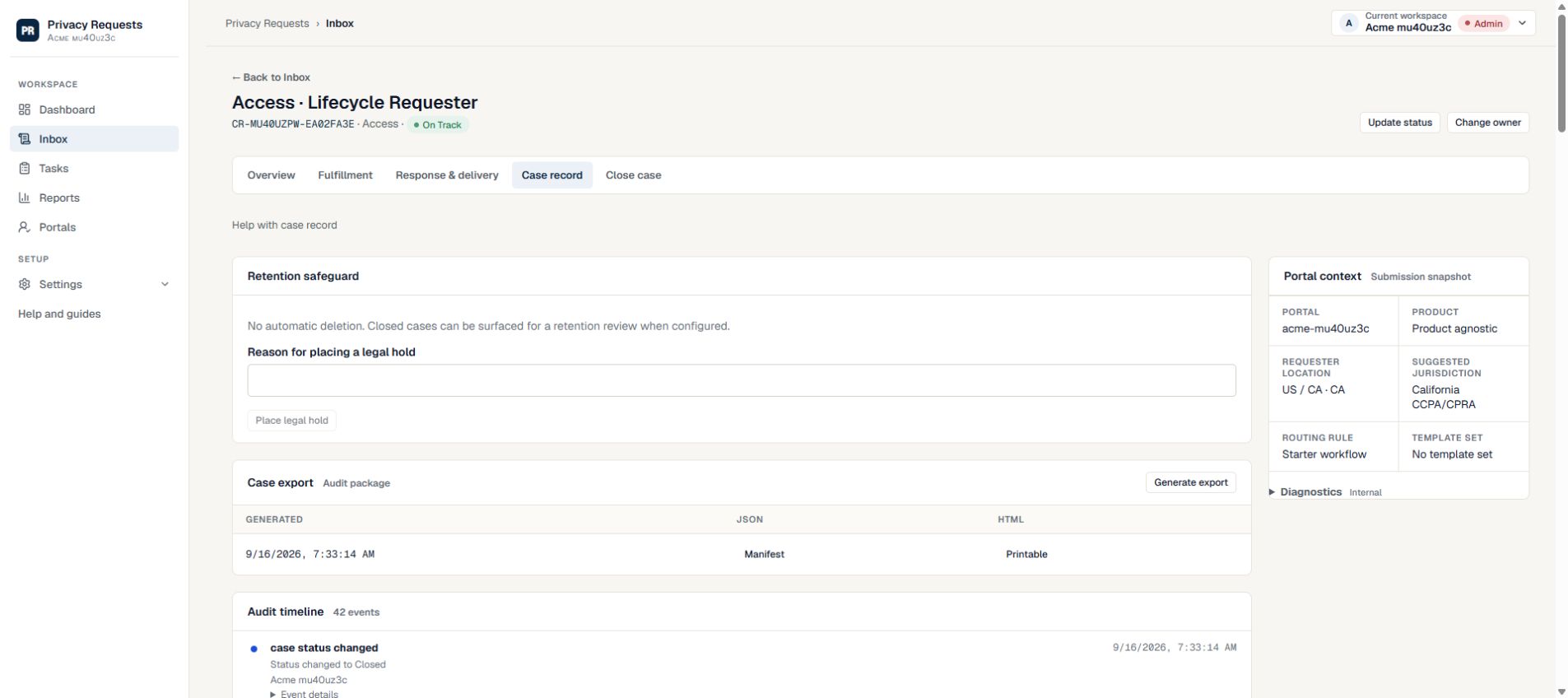
A closer look
What belongs in a case record?
Download a fictional outline of the decisions and evidence to retain. It is an example, not a certification or a substitute for your own records.
Put your first request on a clear path
Start free, or use the setup checklist to prepare your portal, owner and reviewer.
Read the setup checklist →