Open this area in the app Sign in to your workspace if prompted.
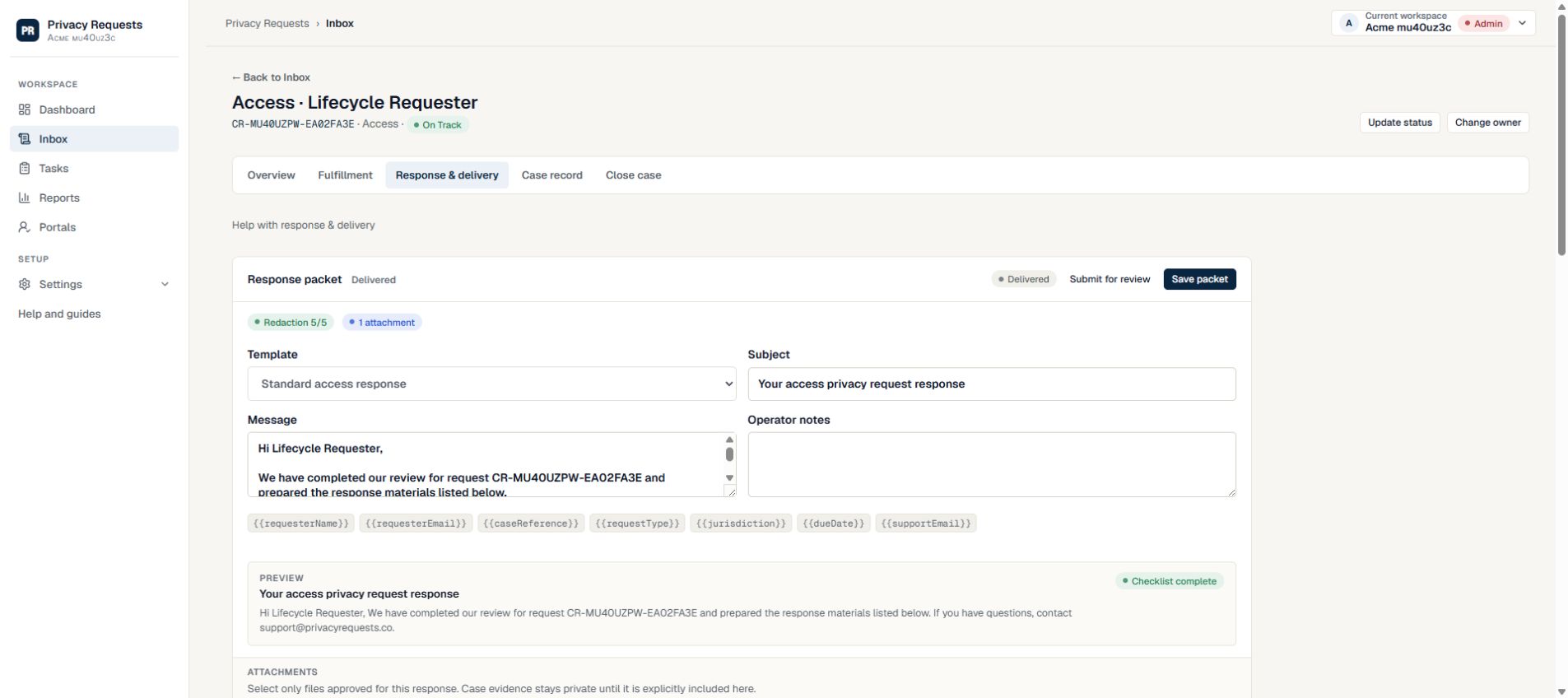
Check the approved packet
Open Response & delivery and confirm the packet is approved. Review the selected files and intended recipient. Do not send internal evidence merely because it is attached to the case.
- Resolve incomplete fulfillment tasks.
- Confirm the verification and review decisions are recorded.
- Approve the proposed response yourself, or obtain approval from every designated reviewer.
Create a secure delivery link
Use the secure delivery controls to set the available expiry and passcode options. Follow your organization’s method for communicating a passcode.
- Check the recipient address before sending.
- Revoke the link if you need to stop access.
- A sent link and a downloaded file are different events; inspect the delivery history.
Generate the record and close
Generate a current export in Case record. Open Close case, select the actual outcome, and read the remaining requirements. They change with the selected outcome and any permitted exception rationale.
- Fulfilled cases need delivery evidence or a documented permitted exception.
- Rejected cases still require a reviewed response and the other closure safeguards.
- Record a meaningful final note. Generate a new export if the case changes.
Need more help?
Product support is available at support@privacyrequests.co. Requesters should contact the company handling the request first because that company controls the case record and response decisions.