Use case
Review the response with the facts in front of you
Keep legal judgment connected to the original request, verification record, collection work, and exact materials proposed for disclosure.
A familiar situation
Separate preparing a response from approving it
An access request has reached the review stage. Several people supplied files, some contain information about other people, and the response owner needs an approval decision. A folder of attachments is not enough: the reviewer needs to understand why each item is included.
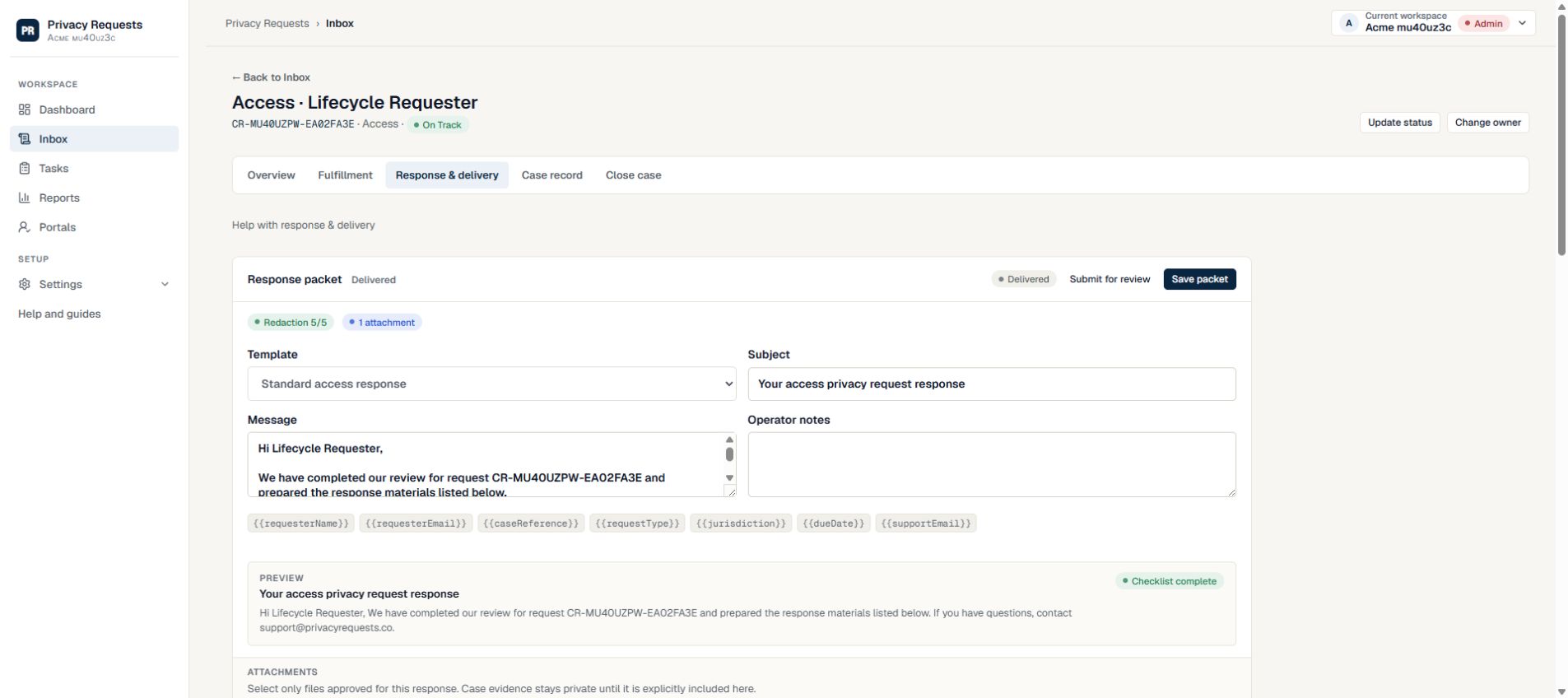
Privacy Requests connects response preparation to the case history. The response owner drafts the message and explicitly selects the attachments. Configure designated Legal Reviewers when your process needs a separate approval step. Each named reviewer must approve before delivery. Smaller teams can use self-review, where an Admin or Privacy Manager approves their own response.
See the actual product screens →From intake to outcome
A practical way to run the request
Understand the request and verification
Review what the person asked for, how identity was checked, and whether the team clarified the scope. Raise unanswered questions before approving disclosure.
Inspect the proposed materials
Read the response text and selected attachments together. Review the sensitive-information checks and redaction checklist; these support your inspection rather than replacing it.
Record the review decision
Approve the packet only when the proposed response is ready. If it needs changes, make the required corrections clear to the owner so the next review has a focused purpose.
Keep delivery and outcome connected
The response owner manages the approved delivery. Review the access history and final case record when needed, including a documented reason if no delivery was appropriate.
Make each responsibility clear
Agree who owns each part before the request is urgent. These are suggested working responsibilities; workspace roles determine access.
| Person | Responsibility | Useful result |
|---|---|---|
| Response owner | Prepare the message and choose attachments | A defined packet ready for review |
| Designated reviewer (if configured) | Review the proposed disclosure | An explicit response packet decision |
| System contributor | Explain the evidence and its limits | Context for records, searches, or actions performed |
Review a defined response, not an open-ended file collection
Keeping private case evidence separate from the selected response attachments makes the approval question more concrete. The reviewer can assess what the requester will receive, while the team retains the wider working record. Templates provide a starting structure, but the facts of the request and your organization’s decisions determine the final response.
Before your first request
Set up the people and the process
Rehearse the whole workflow with controlled addresses and fictional data. A working intake form is only the first step.
See how response packets are prepared and approved →- Assign the Legal Reviewer role to the person responsible for packet approval.
- Agree how the owner should flag exceptions or incomplete evidence.
- Review response templates before using them with real requests.
- Decide when delivery should require a passcode and how to share it separately.
What your team still owns
Privacy Requests does not provide legal advice or decide whether an exemption applies. Automated checks do not guarantee that a file is safe to disclose. Expiry and revocation control future access through a delivery link; they cannot retrieve a copy that a recipient has already downloaded.
Read the security safeguards and current plan availability before deciding whether the workflow fits your organization.
Try a real workflow
Give your next request a clear path
Start with a workspace, a responsible owner, and a reviewer.
Compare workflows for other teams →Name the decision before reviewing the packet
Fictional decision for SYNTHETIC-PACKET-02: changes required because archived support attachments remain unsearched. Ask for the missing evidence and review the revised packet before approval. This is a workflow illustration, not legal advice. Read the filled decision handoff.
Choose self-review, a single reviewer or a plan-dependent approval chain.