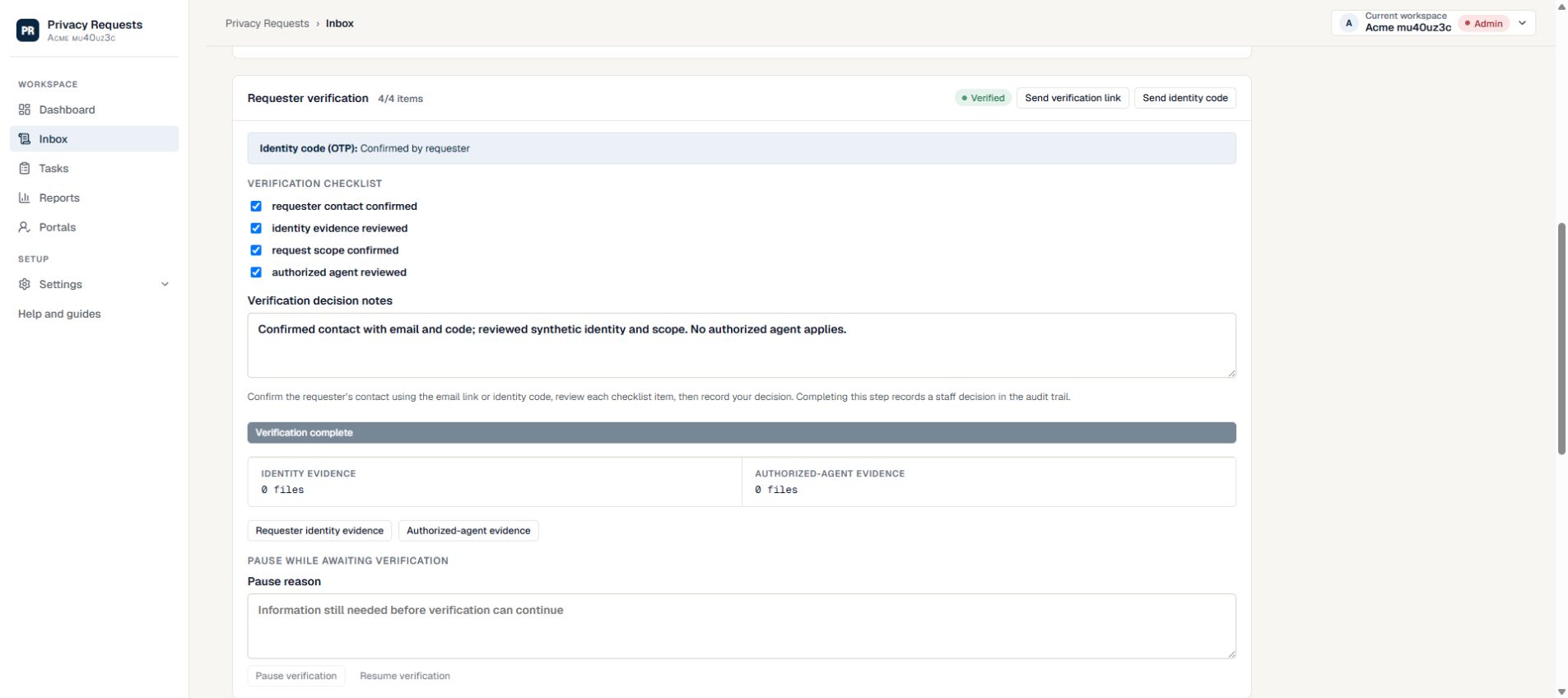
Example of a minimal decision note
Fictional note: “Existing account reference matched; email-control check completed; requested scope reviewed by the case owner. Proceed with the approved account search. No identity document retained.” This illustrates a record, not a universal verification decision.
- Record the check, outcome, decision owner and remaining uncertainty.
- Avoid copying document numbers or complete identity documents into a general note.
- Apply the approved retention policy to verification evidence and record any separate restriction or hold.
Keep verification human-approved
Verification decisions should be reviewed by an authorized person. From a case, open Fulfillment and move to the Requester verification panel. The panel includes Send verification link, Send identity code, a checklist, and evidence upload controls.
- 1. Open a case and select Fulfillment, then use the verification section or the Finish line link for Requester identity confirmed.
- 2. Select Send verification link or Send identity code and wait for the requester to complete it.
- 3. Review the verification checklist and upload only needed evidence. For extra identity evidence or representative checks that do not apply, select Not applicable and save a reason.
- 4. Enter Verification decision notes explaining the review, including any checklist items that do not apply, then select Complete verification. Resume a paused verification first.
- 5. If the case remains blocked, read the verification status and any instructions shown before changing the case status.
Preserve useful context
Verification notes should help future reviewers understand the operational decision. Keep them factual and avoid unnecessary sensitive detail.
- Document evidence categories rather than copying sensitive values into notes.
- Record requester follow-up requests and responses.
- Escalate unusual verification scenarios to the right internal reviewer.
Check what the evidence actually establishes
An email challenge shows access to an inbox. Your organization still needs to decide whether the available evidence connects the requester to the information or action being requested.
- Review the requested action and the sensitivity of the data before deciding what evidence is appropriate.
- For an authorized agent, review both the requester relationship and the evidence of authority your process requires.
- If evidence is incomplete or inconsistent, document the missing point and request a focused clarification.
- Before moving on, confirm the verification decision and its explanation are recorded on the case.
Need more help?
Product support is available at support@privacyrequests.co. Requesters should contact the company handling the request first because that company controls the case record and response decisions.