Open this area in the app Sign in to your workspace if prompted.
Rehearse safely before real work
In Setup Center, choose Open practice request. The shared rehearsal uses fictional requester details, a sample file and simulated delivery. It creates no real case, email or public delivery link, and stays out of operational reports.
- An Admin or Privacy Manager can complete the exercise, including self-review. Real requests follow your workspace approval settings.
- Your teammates resume the same practice page. Use Refresh progress after a handoff.
- The final practice record is training history, not a real case export or compliance evidence. Real identity checks, file review, delivery and closure still require your organization’s process.
Prepare the people and portal
Open Setup Center and complete the intake essentials. An Admin manages membership. With self-review, an Admin or Privacy Manager can also approve responses; designated reviewers are optional. Decide who will prepare the response and who will review it before you begin.
- Use a controlled email address and fictional details for an intake test.
- A test submission checks intake; do not assume every subsequent action is a sandbox or that email cannot be sent.
- For a real request, follow your organization’s approved verification and disclosure process.
Triage and verify
Open the case in Inbox. Check its original submission, scope, owner, and suggested deadline. A missing deadline requires staff review; a suggestion is not a legal determination.
- Assign an accountable case owner.
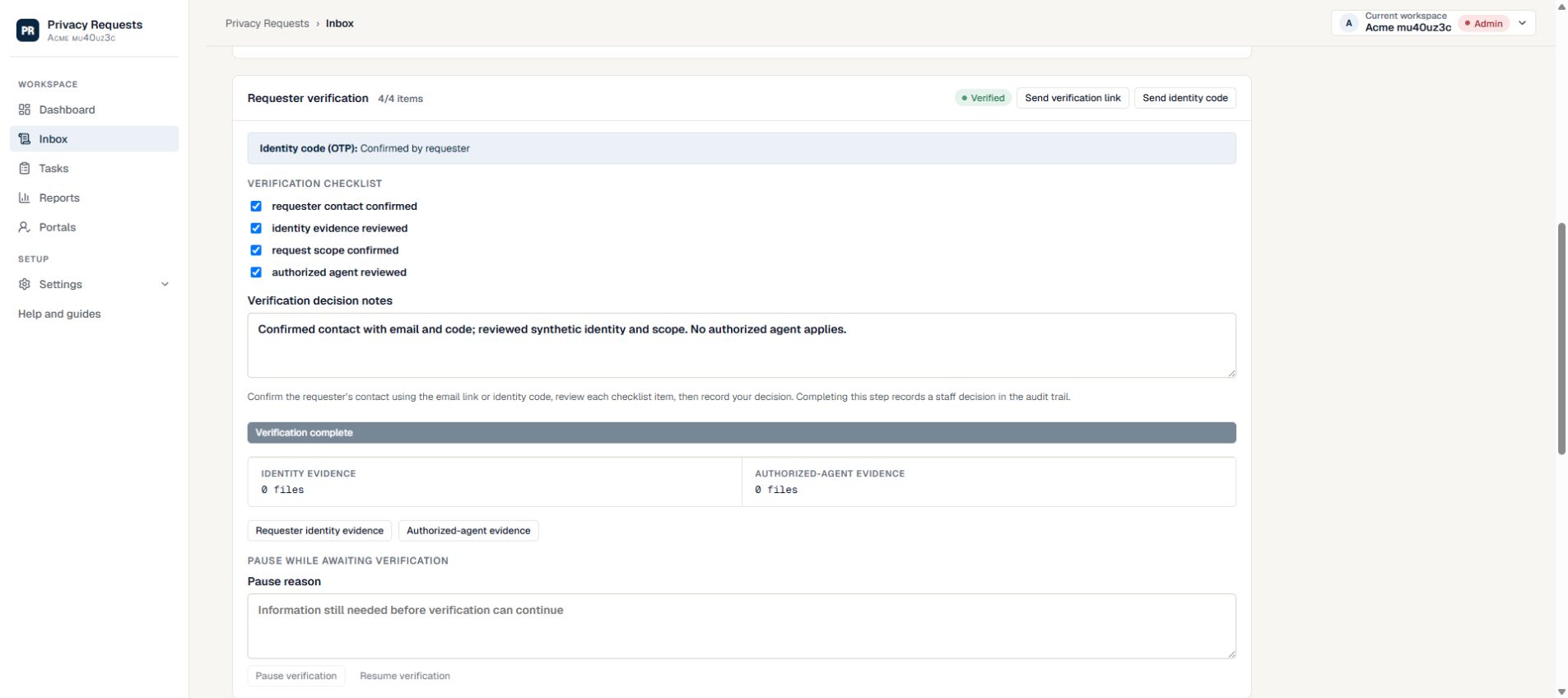
- Use Verification to review identity evidence and record the decision.
- Request only the additional information needed; never collect passwords.
Collect only the relevant material
Use Fulfillment to assign tasks to people who know the systems involved. The platform tracks work; your team searches the systems and decides what belongs in the response.
- Give each task clear instructions and an owner.
- Review uploaded files for unrelated people’s information.
- Complete tasks and document exceptions instead of silently skipping work.
Prepare and review the response
In Response & delivery, choose a response template, review the subject and message, and explicitly include the appropriate attachments. With self-review, select Approve response after completing the checks. If your workspace has designated reviewers, submit it for approval instead.
- An upload alone does not include a file in the response.
- Check the redaction and review checklist; automated scanning does not replace human review.
- Resolve requested changes and obtain approval before delivery.
Deliver and retain the record
Create the secure delivery using the approved packet. Review expiry and passcode options. Generate a current case export, then use Close case to resolve any outstanding checks and record the final outcome.
- Verify the intended recipient before sending anything.
- Record the rationale for any permitted delivery exception.
- Keep the export under your organization’s retention policy.
Need more help?
Product support is available at support@privacyrequests.co. Requesters should contact the company handling the request first because that company controls the case record and response decisions.