Open this area in the app Sign in to your workspace if prompted.
Self-review, one reviewer or an ordered chain
Free supports self-review or one designated Legal Reviewer within its two-member limit. Business supports an ordered chain of multiple reviewers. Paid upgrades are currently unavailable; a Free signup does not unlock chains.
- An Admin chooses Response approval settings.
- An Admin or Privacy Manager can self-review when no reviewers are configured; a Legal Reviewer can also approve in this mode.
- Once reviewers are configured, obtain the required approval rather than treating case ownership as permission to skip it.
Choose the right person
Your organization decides who is qualified and authorized to review disclosures. Legal Reviewer is a role that grants review permission in the app, not a professional credential.
- Choose a person authorized to review scope, attachments, redactions, and response language.
- With no designated reviewers, Admins and Privacy Managers can approve their own responses. A configured approval chain still requires its named reviewers.
- Keep access limited to people who need the workspace’s case data.
An Admin sends the invitation
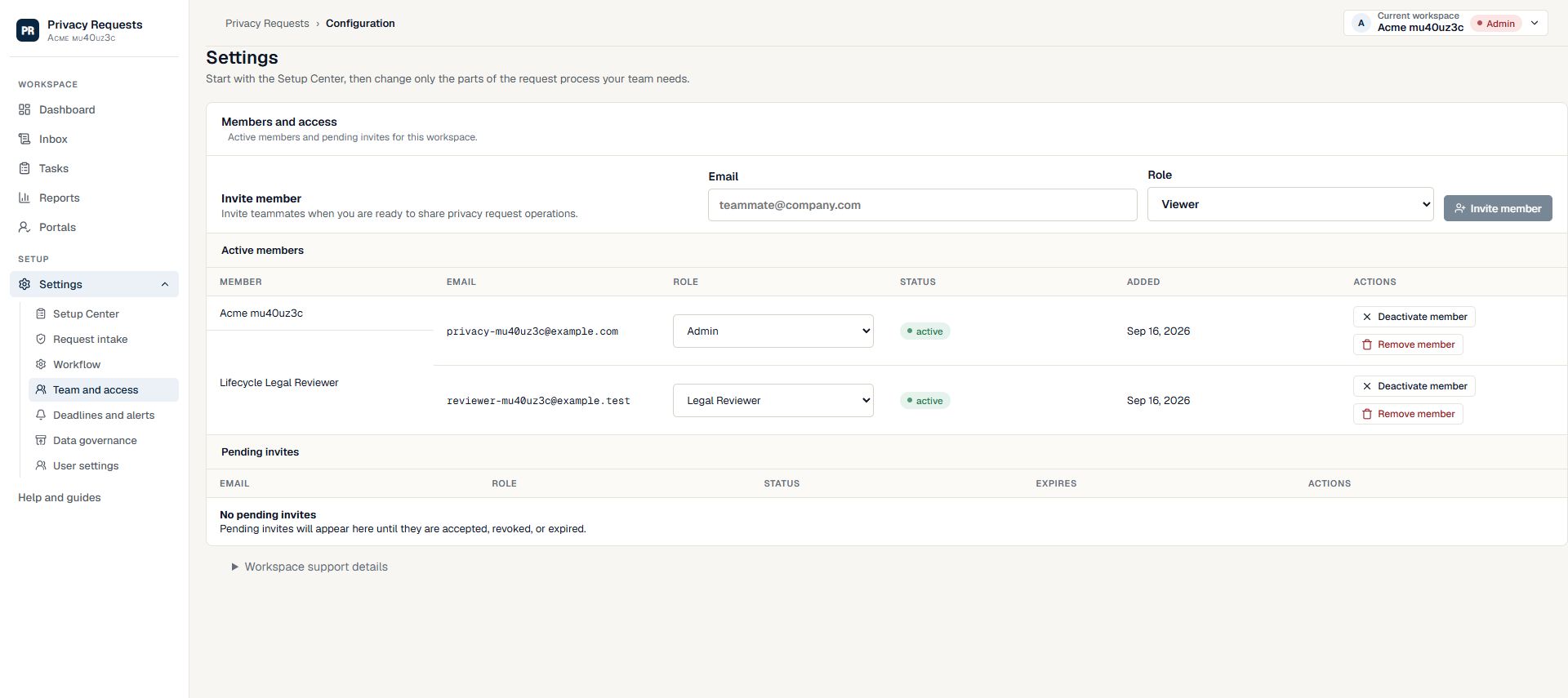
Open Settings → Team and access and use the member invitation controls. Enter the intended work email and select Legal Reviewer. Check both before sending.
- The reviewer must accept the invitation before they can review responses.
- Ask the recipient to sign in with the invited email address.
- If you are not an Admin, ask your workspace Admin to arrange access.
Check the handoff
Confirm that the member is active, then add them in Setup Center → Response approval. One named reviewer creates a separate approval step; multiple reviewers form an ordered chain. Prepare a packet and submit it for approval. The reviewer opens the case and checks the proposed response before approving or requesting changes.
- Do not share sign-in credentials to get around a missing role.
- Pending or inactive members cannot substitute for an active reviewer.
- Review memberships when responsibilities change.
Need more help?
Product support is available at support@privacyrequests.co. Requesters should contact the company handling the request first because that company controls the case record and response decisions.