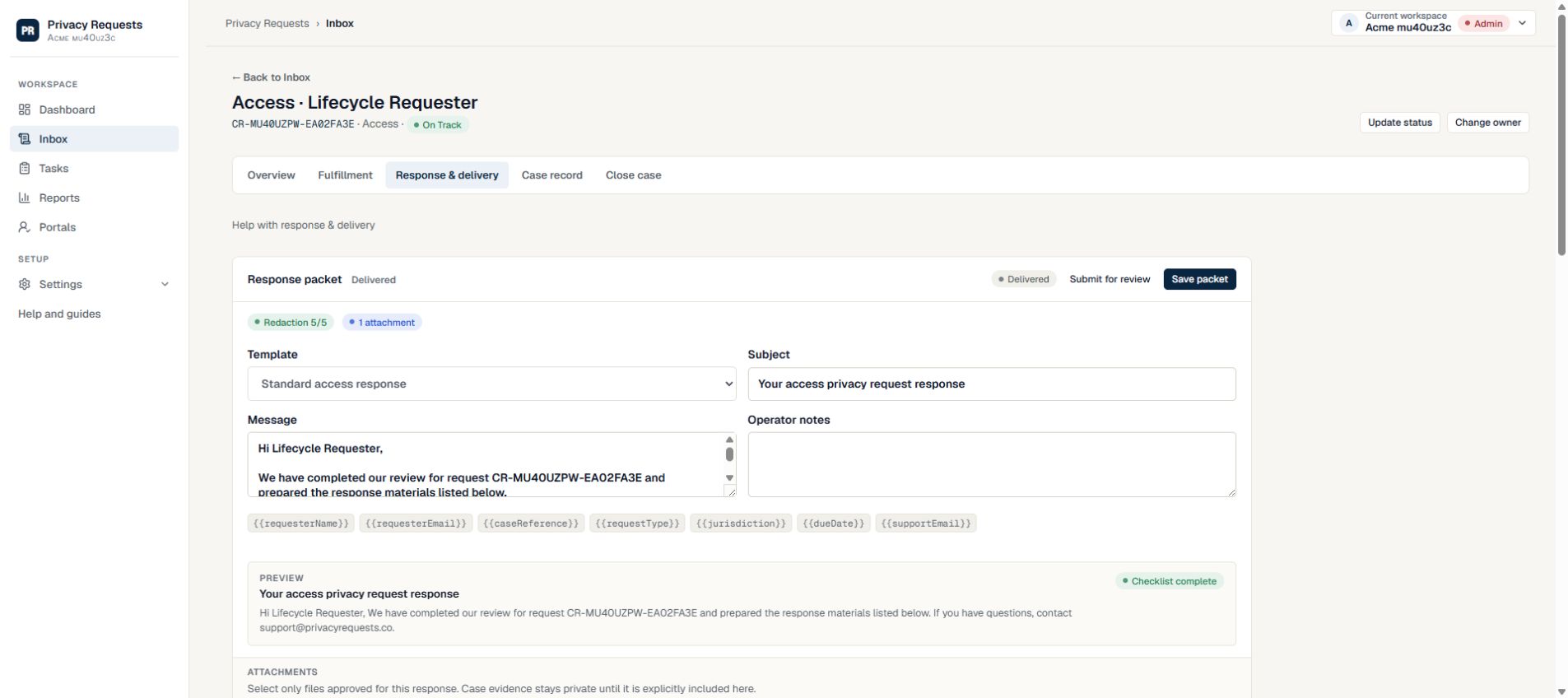
Recover a failed download and agree an accessible route
Fictional scenario: Casey can open the link but cannot use the supplied spreadsheet with their assistive software. Ask which format or step is the barrier through the approved contact route. Have the response owner review an accessible alternative against the approved content.
- For an expired or revoked link, verify the case and intended recipient before issuing replacement access.
- Check the current packet, selected files, expiry and passcode arrangement; revoke superseded access where appropriate.
- A link-open event is not proof of a successful download. Record the reported failure, agreed format or route, new delivery evidence and any unresolved issue.
| Control | Confirm | If it fails |
|---|---|---|
| Recipient | Verified destination and intended requester | Pause and re-check |
| Packet | Approved files and current version | Replace the draft and repeat review |
| Access | Expiry, revocation, and access record | Use a controlled delivery route |
Use controlled links
Controlled delivery links let the team limit the time response files are available and stop access if a concern appears after sending.
- Set expiration windows for response packets.
- Support revocation when delivery should stop.
- Require passcodes for higher-risk deliveries when appropriate.
Log delivery activity
Access history gives the team a clearer record than an email attachment. The case should show when delivery was created, opened, expired, revoked, or reissued.
- Attach delivery events to the case timeline.
- Record who created and revoked links.
- Give requesters a clear support path when access expires or fails.
Keep response approval separate
The response should be reviewed before files are delivered. Secure delivery controls do not replace final content approval.
- Use response templates and packet review before sending.
- Store delivery files in controlled private storage.
- Avoid forwarding response packets through personal inboxes.
Example: the wrong file is noticed after sending
The responder discovers that a delivery contains an outdated response file. Stop further access to the existing link, review the materials, and decide whether a corrected delivery is appropriate.
- Use the case history to check which link and packet were involved.
- Revoke access to the existing link and document the reason.
- Review the corrected response before reissuing access; revocation cannot recall a file already downloaded.
Check the packet before creating the link
Delivery settings protect access to the packet. They do not establish that the packet contains the right information for the right person.
- Confirm the intended recipient, response text, and final attachment list.
- Check that internal notes and unrelated third-party information are not included accidentally.
- Choose the expiry and any passcode requirement, and give the requester a clear contact if access fails.
Sources
Source list established September 20, 2026; new inline references checked September 24, 2026. These primary and regulator materials support the legal-rule summaries above; check the current rules that apply to your organization.
- EU General Data Protection Regulation, Articles 12 and 15 — Primary text for access rights, transparent communication, identity questions, and response timing.
- ICO: responding to a right-of-access request — Official UK guidance on calendar-month calculations, clarification, extensions, and proportionate identity checks.
Common questions
Why avoid email attachments for DSAR exports?
Attachments are hard to revoke, hard to audit, and easy to forward after delivery.
What controls matter for secure DSAR delivery?
Expiration, revocation, optional passcodes, private storage, and access logs are the practical baseline.
What should requesters do when a delivery link expires?
They should contact the company handling the request and ask whether access can be reissued.
Run privacy requests in one controlled workflow
Privacy Requests helps teams manage intake, verification, tasks, response preparation, secure delivery, and audit history without a broad enterprise suite.
Start free